# as usual, we will use the tidyverse
library(tidyverse)

# responses concerning personal activity
atus_act = read_csv('http://euclid.nmu.edu/~joshthom/dat309/data/ATUS/atusact_2025.dat')

# responses concerning demographics
atus_rost = read_csv('http://euclid.nmu.edu/~joshthom/dat309/data/ATUS/atusrost_2025.dat')

# responses concerning types of jobs
atus_job = read_csv('http://euclid.nmu.edu/~joshthom/dat309/data/ATUS/atusresp_2025.dat')

# respondent info with labor force status & earnings
atus_resp = read_csv('http://euclid.nmu.edu/~joshthom/dat309/data/ATUS/atusresp_2025.dat')

atus_dict = read_csv('http://euclid.nmu.edu/~joshthom/dat309/data/ATUS/atus_dict.csv')American Time Use Survey (ATUS)
Exploratory Data Analysis
This set of exercises exposes you to several important aspects of data science.
- This is a big dataset (relatively speaking)
- It’s been touched by many hands, and the artifacts show.
- It involves download, import, manipulation and requires you to read the documentation to understand the data.
ATUS Data
Learn more and extract different data below: American Time Use Survey
How to use ATUS microdata: ATUS Microdata
ATUS data concerns sex, age, race, work, and normal activities of human life.
Some interesting variables:
- TRTALONE: Time spent alone
- TUFINGLWGT: statistical weight for generating estimates representative of the U.S. civilian, noninstitutional population. This is a very important variable for generating estimates from the data. See ATUS Microdata for more information.
Data Dictionary
Download the Data
Make a new folder inside your data309 folder called ATUS. Open the ATUS folder in Positron.
Copy the following code into a new R script and run it. It will download the data files into your ATUS folder. Notice that we are reading a csv from the internet.
Exploratory Questions
- What is the size of the data? How many rows & columns? (Use
dim(), for dimension.) - What do the numbers mean in the rows?
- What are the variable names and what do they mean?
unique()
We know the TUCASEID variable is the unique identifier for each person in the data. How many people are in the data? How many unique caseiatus_rost are there? There are several ways to answer this.
unique_iatus_rost <- unique(atus_rost$TUCASEID)
length(unique_iatus_rost)
[1] 6146# or alternatively
atus_rost |> distinct(TUCASEID) |>
nrow()[1] 6146# or
atus_rost$TUCASEID |> unique() |>
length()[1] 6146We can also rename variables to make them easier to read. The rename() function is useful for this.
# rename work variable
#| eval: FALSE
atus_rost <- rename(atus_rost,"sex" = TESEX)
atus_rost <- rename(atus_rost,"age" = TEAGE)
Filter
From the simplified codebook we can see that the job variable is TRDTOCC1. The detailed codebook has a list of jobs and their corresponding numbers. We can filter the data to just a few jobs to make it easier to visualize.
For the TRDTOCC1 variable, the following numbers correspond to the following jobs:
- 1 Management occupations
- 2 Business and financial operations occupations
- 3 Computer and mathematical occupations
- 4 Architecture and engineering occupations
- 5 Life, physical, and social science occupations
- 6 Community and social service occupations
- 7 Legal occupations
- 8 Educational instruction and library occupations
- 9 Arts, design, entertainment, sports, and media occupations
- 10 Healthcare practitioner and technical occupations
- 11 Healthcare support occupations
- 12 Protective service occupations
- 13 Food preparation and serving related occupations
- 14 Building and grounatus_rost cleaning and maintenance occupations
- 15 Personal care and service occupations
- 16 Sales and related occupations
- 17 Office and administrative support occupations
- 18 Farming, fishing, and forestry occupations
- 19 Construction and extraction occupations
- 20 Installation, maintenance, and repair occupations
- 21 Production occupations
- 22 Transportation and material moving occupations
# get variable names
atus_job |> names()
[1] "TUCASEID" "TULINENO" "TUYEAR" "TUMONTH" "TEABSRSN"
[6] "TEERN" "TEERNH1O" "TEERNH2" "TEERNHRO" "TEERNHRY"
[11] "TEERNPER" "TEERNRT" "TEERNUOT" "TEERNWKP" "TEHRFTPT"
[16] "TEHRUSL1" "TEHRUSL2" "TEHRUSLT" "TEIO1COW" "TEIO1ICD"
[21] "TEIO1OCD" "TELAYAVL" "TELAYLK" "TELFS" "TELKAVL"
[26] "TELKM1" "TEMJOT" "TERET1" "TESCHENR" "TESCHFT"
[31] "TESCHLVL" "TESPEMPNOT" "TESPUHRS" "TRCHILDNUM" "TRDPFTPT"
[36] "TRDTIND1" "TRDTOCC1" "TRERNHLY" "TRERNUPD" "TRERNWA"
[41] "TRHERNAL" "TRHHCHILD" "TRHOLIDAY" "TRIMIND1" "TRMJIND1"
[46] "TRMJOCC1" "TRMJOCGR" "TRNHHCHILD" "TRNUMHOU" "TROHHCHILD"
[51] "TRSPFTPT" "TRSPPRES" "TRTALONE" "TRTALONE_WK" "TRTCC"
[56] "TRTCCC" "TRTCCC_WK" "TRTCCTOT" "TRTCHILD" "TRTCOC"
[61] "TRTEC" "TRTFAMILY" "TRTFRIEND" "TRTHH" "TRTHHFAMILY"
[66] "TRTNOCHILD" "TRTNOHH" "TRTO" "TRTOHH" "TRTOHHCHILD"
[71] "TRTONHH" "TRTONHHCHILD" "TRTSPONLY" "TRTSPOUSE" "TRTUNMPART"
[76] "TRWERNAL" "TRYHHCHILD" "TTHR" "TTOT" "TTWK"
[81] "TUABSOT" "TUBUS" "TUBUS1" "TUBUS2OT" "TUBUSL1"
[86] "TUBUSL2" "TUBUSL3" "TUBUSL4" "TUCC2" "TUCC4"
[91] "TUCC5B_CK" "TUCC5_CK" "TUCC9" "TUDIARYDATE" "TUDIARYDAY"
[96] "TUDIS" "TUDIS1" "TUDIS2" "TUECYTD" "TUELDER"
[101] "TUELFREQ" "TUELNUM" "TUERN2" "TUERNH1C" "TUFINLWGT"
[106] "TUFWK" "TUIO1MFG" "TUIODP1" "TUIODP2" "TUIODP3"
[111] "TULAY" "TULAY6M" "TULAYAVR" "TULAYDT" "TULK"
[116] "TULKAVR" "TULKDK1" "TULKDK2" "TULKDK3" "TULKDK4"
[121] "TULKDK5" "TULKDK6" "TULKM2" "TULKM3" "TULKM4"
[126] "TULKM5" "TULKM6" "TULKPS1" "TULKPS2" "TULKPS3"
[131] "TULKPS4" "TULKPS5" "TULKPS6" "TURETOT" "TUSPABS"
[136] "TUSPUSFT" "TUSPWK" "TXABSRSN" "TXERN" "TXERNH1O"
[141] "TXERNH2" "TXERNHRO" "TXERNHRY" "TXERNPER" "TXERNRT"
[146] "TXERNUOT" "TXERNWKP" "TXHRFTPT" "TXHRUSL1" "TXHRUSL2"
[151] "TXHRUSLT" "TXIO1COW" "TXIO1ICD" "TXIO1OCD" "TXLAYAVL"
[156] "TXLAYLK" "TXLFS" "TXLKAVL" "TXLKM1" "TXMJOT"
[161] "TXRET1" "TXSCHENR" "TXSCHFT" "TXSCHLVL" "TXSPEMPNOT"
[166] "TXSPUHRS" "TXTCC" "TXTCCTOT" "TXTCOC" "TXTHH"
[171] "TXTNOHH" "TXTO" "TXTOHH" "TXTONHH" "TRLVMODR" atus_job <- atus_job |> rename("job" = TRDTOCC1)
# notice the syntax below (==) signs for boolean (yes/no) comparisons. The `|` symbol means "or" in this context.
atus_filtered <- filter(atus_job,
job == 3 | job == 5 |job == 13)
ggplot(atus_filtered,aes(x=job)) + geom_bar()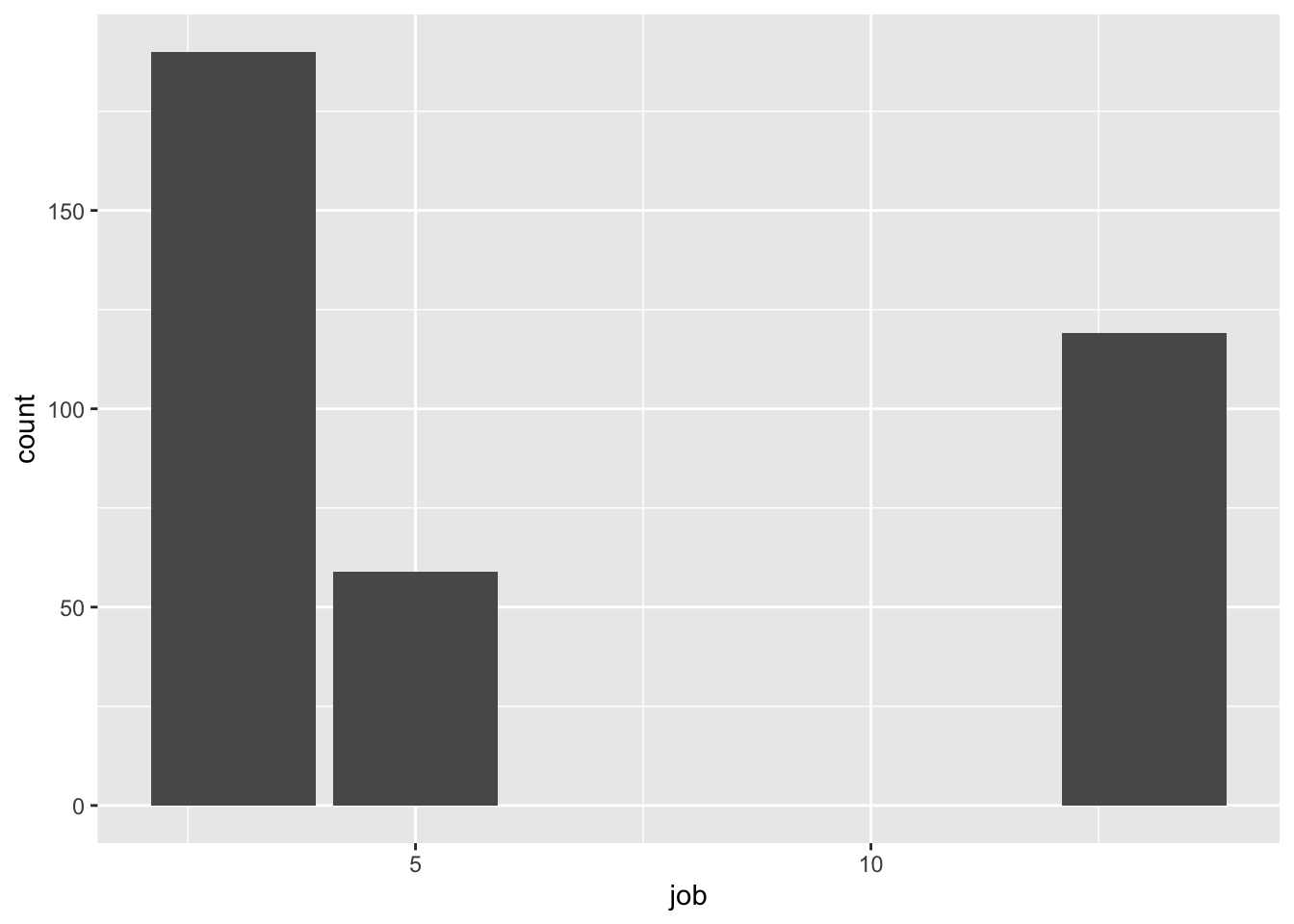
Visualizing Distributions & Relationships
Categorical distribution: bar plot
Numerical distribution: histogram, density plot
Numerical distribution vs. categorical variable: box plot
Two categorical variables: barplot filled with color or the same with
position = "fill"in the geom.Two-Three numerical variables: scatter plot with colors mapped to a variable. (see text)
Just a few categorical variables? Try faceting:
Exercise 1. Improve the plot below 2. Add a position = "fill" to the geom_bar(). Does it help?
ds <- filter(atus_job,job == 3 | job == 5 |job == 13)

ggplot(ds,aes(x=job, fill = job)) + geom_bar() +
  labs(fill = "Job")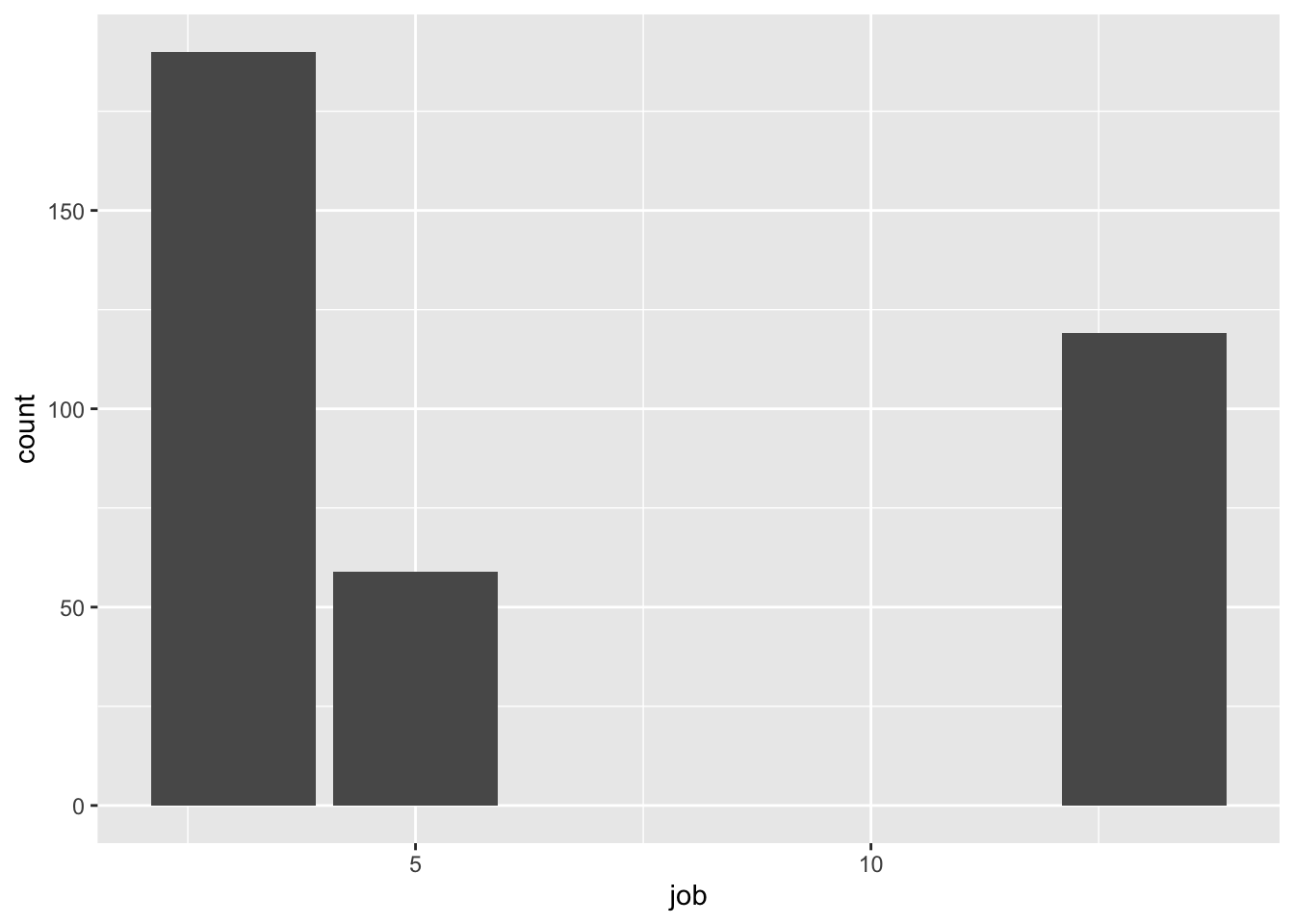
Sample questions
- Time use and day of week — Does time spent alone (
TRTALONE) or with family (TRTFAMILY) differ between weekdays and weekends (TUDIARYDAY)? - Labor force status and daily activity — How does labor force status (
TELFS) relate to average minutes spent on a chosen activity category, joiningatus_resptoatus_act? - Occupation and time alone — Does time spent alone (
TRTALONE) vary across broad occupation groups (TRDTOCC1), similar to the worked weighted/unweighted example but extended to more categories? - Age and activity patterns — Using
atus_rost’sTEAGE, do time-use patterns (e.g., time with family, time alone) differ across age brackets students define themselves (e.g., 18–29, 30–49, 50+)? - Sex, age, and occupation together — A three-variable exploration (as in Exercise 3’s “Part C”) combining
TESEX,TEAGEbuckets, andTRDTOCC1to see which occupation groups skew toward particular age/sex profiles in the sample. - Weighted vs. unweighted divergence across a variable of choice — Students pick any categorical variable (sex, occupation, day type) and replicate the weighted-vs-unweighted comparison exercise, then discuss for which variables the gap is largest and hypothesize why.