library(tidyverse)
library(scales)Zillow data
scripting, divergent bar graphs
Divergent Bar Graphs
Are used to accentuate data that is either above or below a given threshold, for example
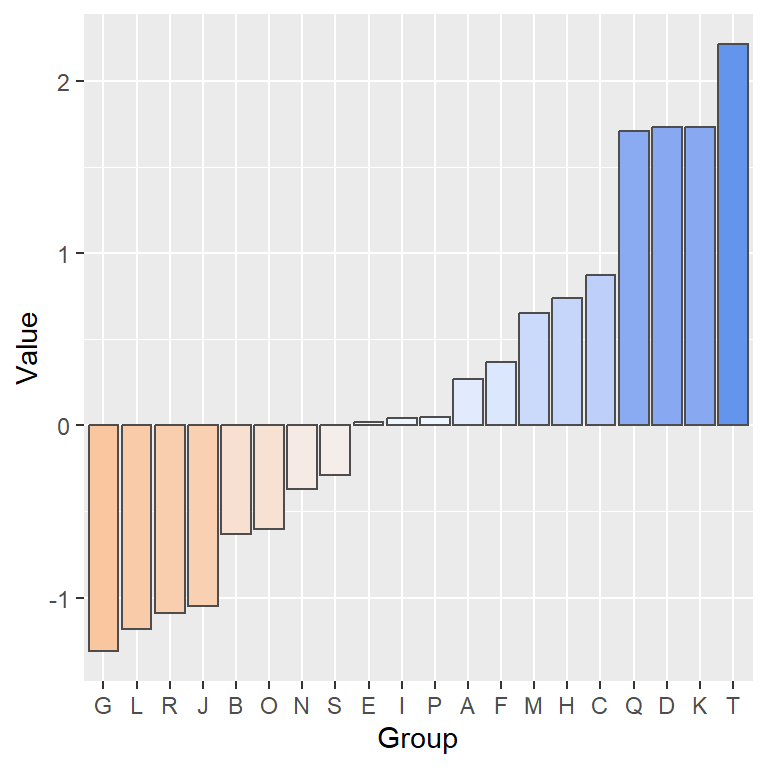
This type of graph is effective for displaying comparisons, such as deviations from an average or survey responses with “agree” and “disagree” categories.
Load the Data
Run download_zillow_data.R once from this folder to create zdata/, then source load_clean_zillow.R as below – keep one shared copy of each rather than re-pasting them.
About the Data
New Renter Affordability:
A measure of the share of income the median household would spend to newly lease the typical rental. Typically, spending more than 30% of income on housing is considered unaffordable.
Load & Clean
The nra data is the percentage of median income spent on an average house. It can be loaded by running the script below.
# load 3 zillow datasets, clean them and create a function -
source('load_clean_zillow.R')

# clean Zillow data:
# Note the 2nd parameter wll be the name of a  variable
znra <- clean_it(nra, "percent_spent") |>
  select(-region_id, -size_rank, -region_type)
Summarize Income Percentage Spent on Housing
# notice the implicit mutate below in the year=year(date)
nra_sum <- znra |> group_by(
  region_name,state_name,year=year(date)) |>
  summarize(percent_spent = mean(percent_spent))
Notice the data is still grouped, so the mutate will work group-wise and will store the result back in the original data frame
# notice the Groups: below
glimpse(nra_sum)
Rows: 4,704
Columns: 4
Groups: region_name, state_name [392]
$ region_name <chr> "Abilene, TX", "Abilene, TX", "Abilene, TX", "Abilene, T…
$ state_name <chr> "TX", "TX", "TX", "TX", "TX", "TX", "TX", "TX", "TX", "T…
$ year <dbl> 2015, 2016, 2017, 2018, 2019, 2020, 2021, 2022, 2023, 20…
$ percent_spent <dbl> 0.2130357, 0.2072675, 0.2141517, 0.2129154, 0.2174257, 0…nra_sum <- nra_sum |>
mutate(mean_percent = mean(percent_spent, na.rm = TRUE),
diff_percent = percent_spent-mean_percent)
glimpse(nra_sum)Rows: 4,704
Columns: 6
Groups: region_name, state_name [392]
$ region_name <chr> "Abilene, TX", "Abilene, TX", "Abilene, TX", "Abilene, T…
$ state_name <chr> "TX", "TX", "TX", "TX", "TX", "TX", "TX", "TX", "TX", "T…
$ year <dbl> 2015, 2016, 2017, 2018, 2019, 2020, 2021, 2022, 2023, 20…
$ percent_spent <dbl> 0.2130357, 0.2072675, 0.2141517, 0.2129154, 0.2174257, 0…
$ mean_percent <dbl> 0.2375044, 0.2375044, 0.2375044, 0.2375044, 0.2375044, 0…
$ diff_percent <dbl> -0.024468712, -0.030236923, -0.023352705, -0.024589002, …Randomly select a state by sampling the pre-existing list of state names:
# pull() extracts the data from the tibble() structure
nra_sum |> ungroup() |> select(state_name) |> slice_sample() |> pull()
[1] "AR"First Main Plot
Grab one sample region from a state for the data to plot
# the random sample trick
rand_state = nra_sum |> ungroup() |>
  select(state_name) |> slice_sample() |> pull()

# save the data to use later in ggtitle
temp <- nra_sum |> ungroup() |> get_states(rand_state,1)

temp |>
  ggplot(
      # fill with color whether + or -
      aes(x=year, y = diff_percent, fill = diff_percent > 0)) +
  # use stat = "identity" when aes() has both x & y
  geom_bar(stat = "identity", alpha = .9) +
  ggtitle(paste0("Housing Financial Burden: ", temp$region_name)) +
  scale_fill_viridis_d(end=.75) +
  # remove the legend
  theme(legend.position = "none") +
  labs(y = "Difference From Mean",
       x = "Year") +
  # make the axis display all years
  scale_x_continuous(breaks = seq(2015,2054,by=1))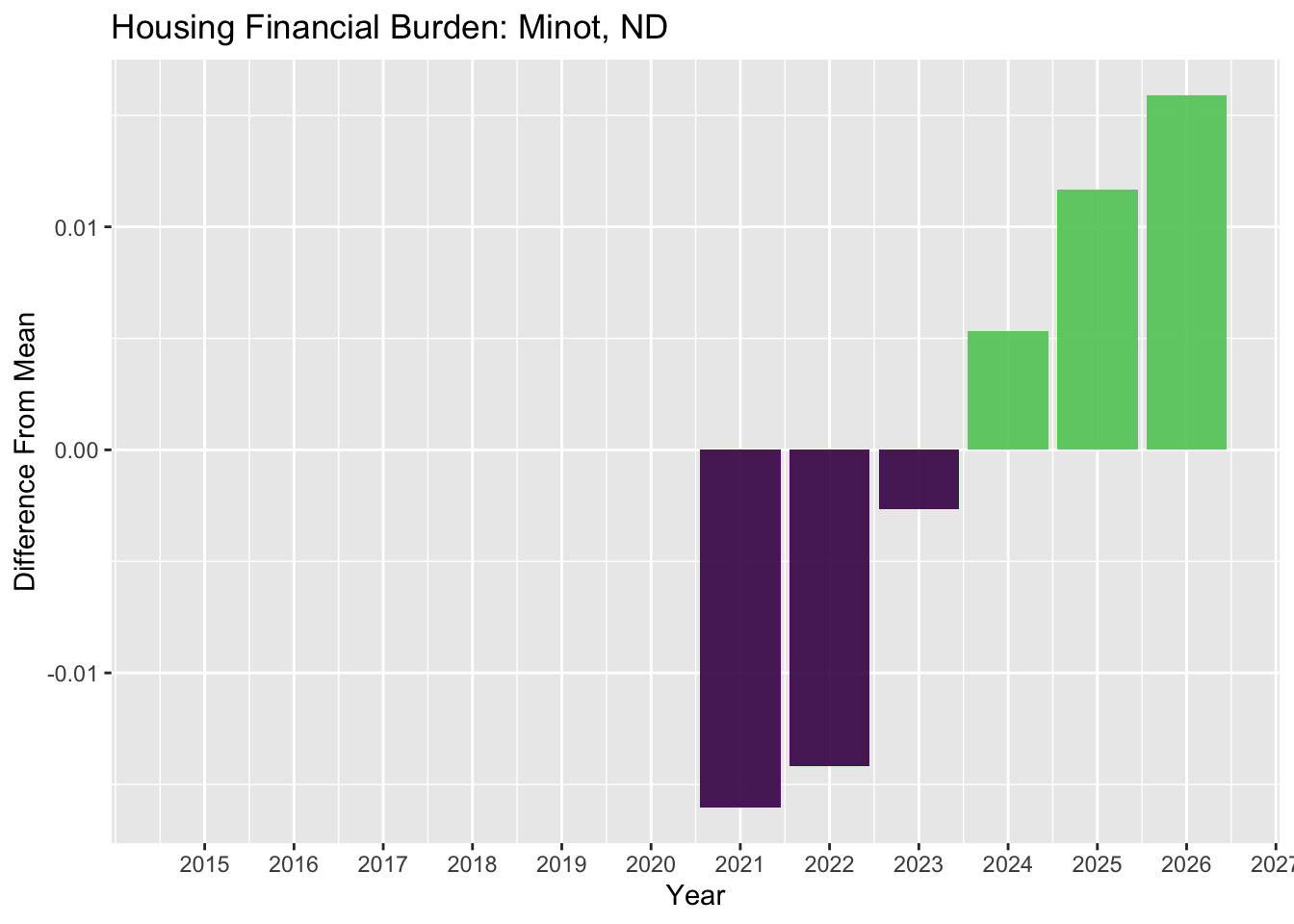
Compare Summaries That Diverge From a Target
For the year 2024, find the overall percentage spent on income for each region in your a subset of US regions.
znra_sub <- get_states(znra,c("NC","MI","NY","WA", "CA"),3)# Filter for a date range
start_date <- as_date("2024-01-01")
end_date <- as_date("2024-12-31")
# create a summary of the subset of nra data
znra_sub_sum <- znra_sub |>
filter(
date >= start_date,
date <= end_date) |>
group_by(region_name) |>
summarize(
percent_on_housing = mean(percent_spent, na.rm = TRUE)
)House Poor: The 30% Rule
Spending more than 30% of your income on housing is widely considered unaffordable. To accentuate affordability, create a new variable that is negative if the percentage spent is less than 30% and positive if greater.
# afford_index is positive if the percentage > 30%
# afford_index is negative if the percentage < 30%
znra_sub_sum <- znra_sub_sum |> mutate(afford_index = case_when(
  percent_on_housing <= .3 ~ -percent_on_housing,
  percent_on_housing > .3 ~ percent_on_housing,
))
Use afford_index as a central point from which to plot a divergent bar graph.
# grab n=20 samples for the data to plot
znra_sub_sum |> slice_sample(n=20) |>
  ggplot(
      aes(x=afford_index, y = region_name, fill = afford_index > 0)) +
  geom_bar(stat = "identity")  +
  theme(legend.position = "none") +
  scale_fill_viridis_d(end=.75)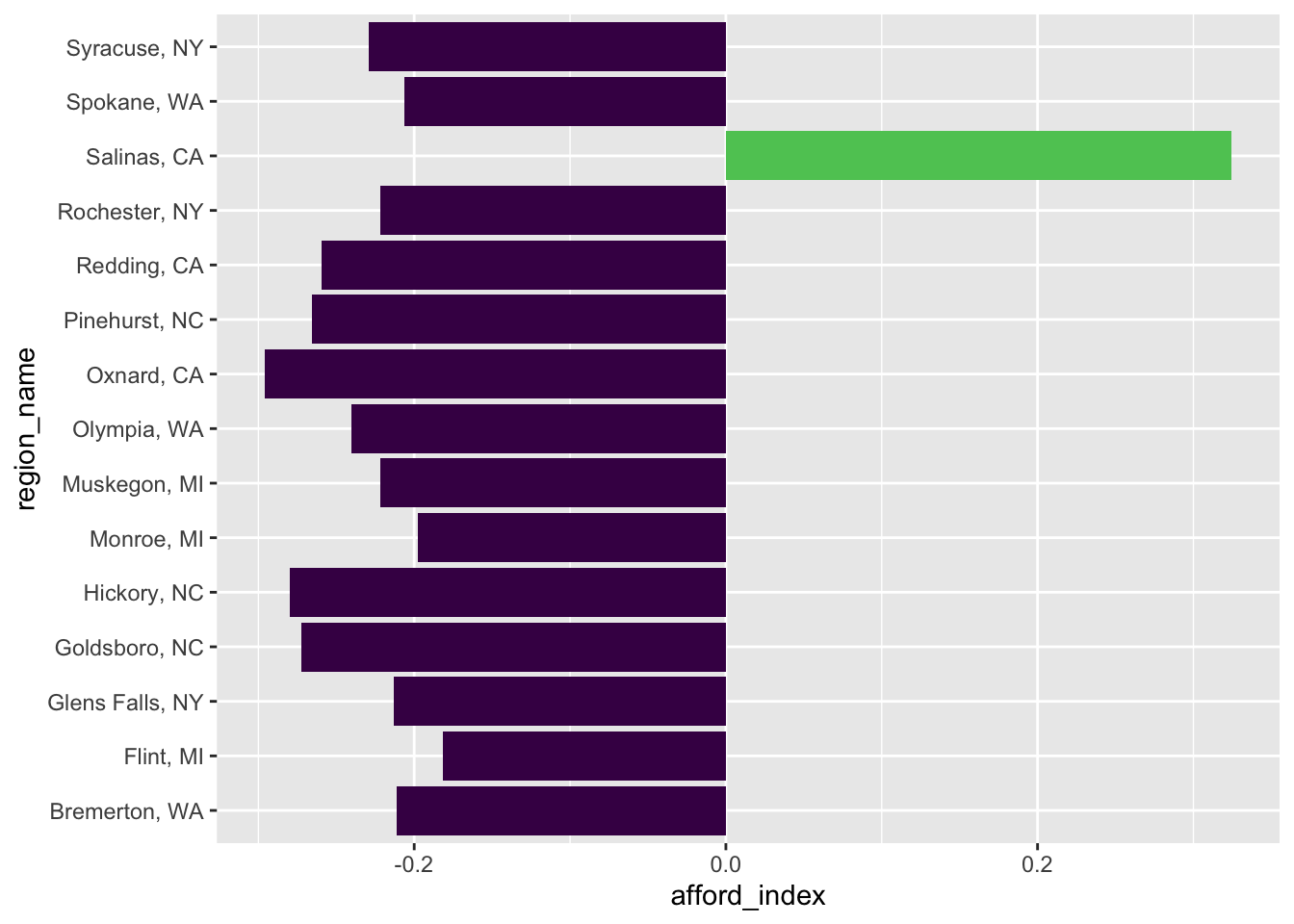
This is also an option for plotting.
Plot positive values
znra_sub_sum |> slice_sample(n=20) |>
  ggplot(
      aes(x=afford_index, y = region_name, fill=afford_index>0)) +
  geom_bar(stat = "identity") +
  scale_x_continuous(labels = abs) +
  theme(legend.position = "none") +
scale_fill_viridis_d(end=.75) 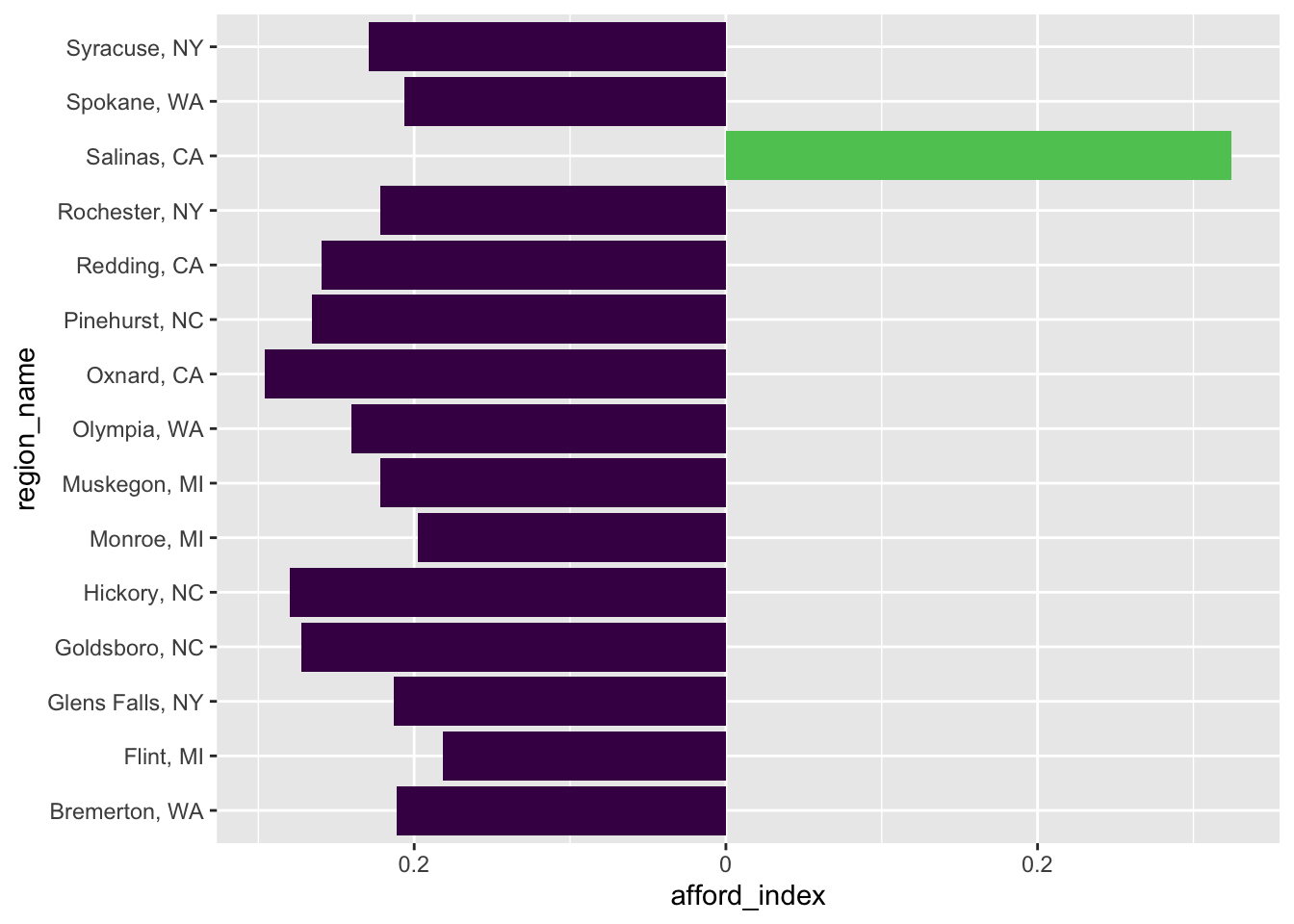
Plotting percents
znra_sub_sum |> slice_sample(n=20) |>
  ggplot(
      aes(x=afford_index, y = region_name,fill=afford_index>0)) +
  geom_bar(stat = "identity") +
  theme(legend.position = "none") +
  scale_fill_viridis_d(end=.75) +
scale_x_continuous(labels = percent) 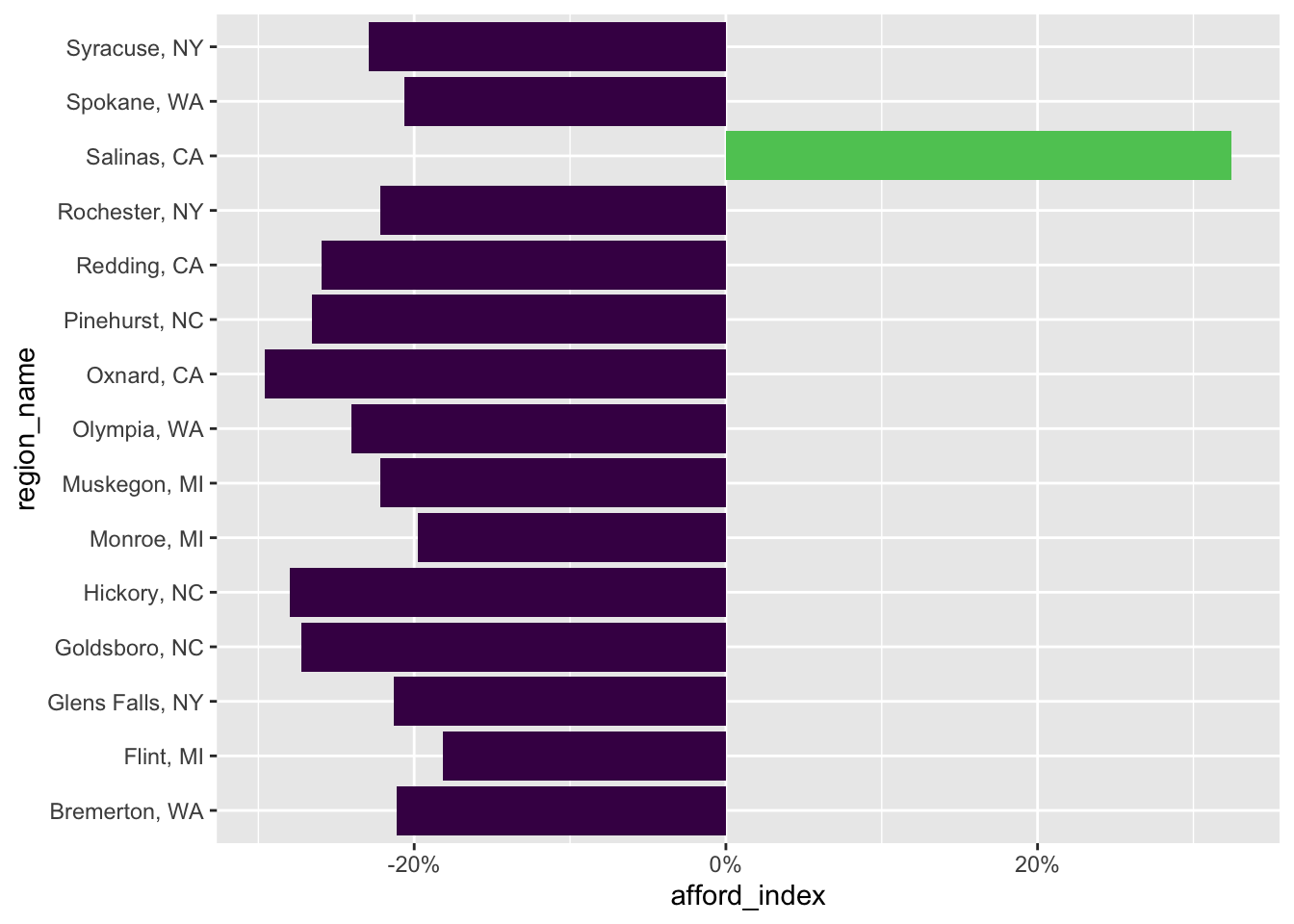
Keep it simple
znra_sub_sum |> slice_sample(n=20) |>
  ggplot(
      aes(x=percent_on_housing,
          y = region_name,fill=percent_on_housing>0)) +
  geom_bar(stat = "identity", fill = "steelblue") +
  theme(legend.position = "none") +
  scale_fill_viridis_d(end=.75) +
  # see colors()
#  scale_x_continuous(labels = percent) +
  geom_vline(xintercept = 0.3, color = "red",
             linetype = 1, size = 1, alpha = 0.5) +
  labs(x="Percentage of Median Income Spent on Housing",
       y="Region") +
  theme_minimal()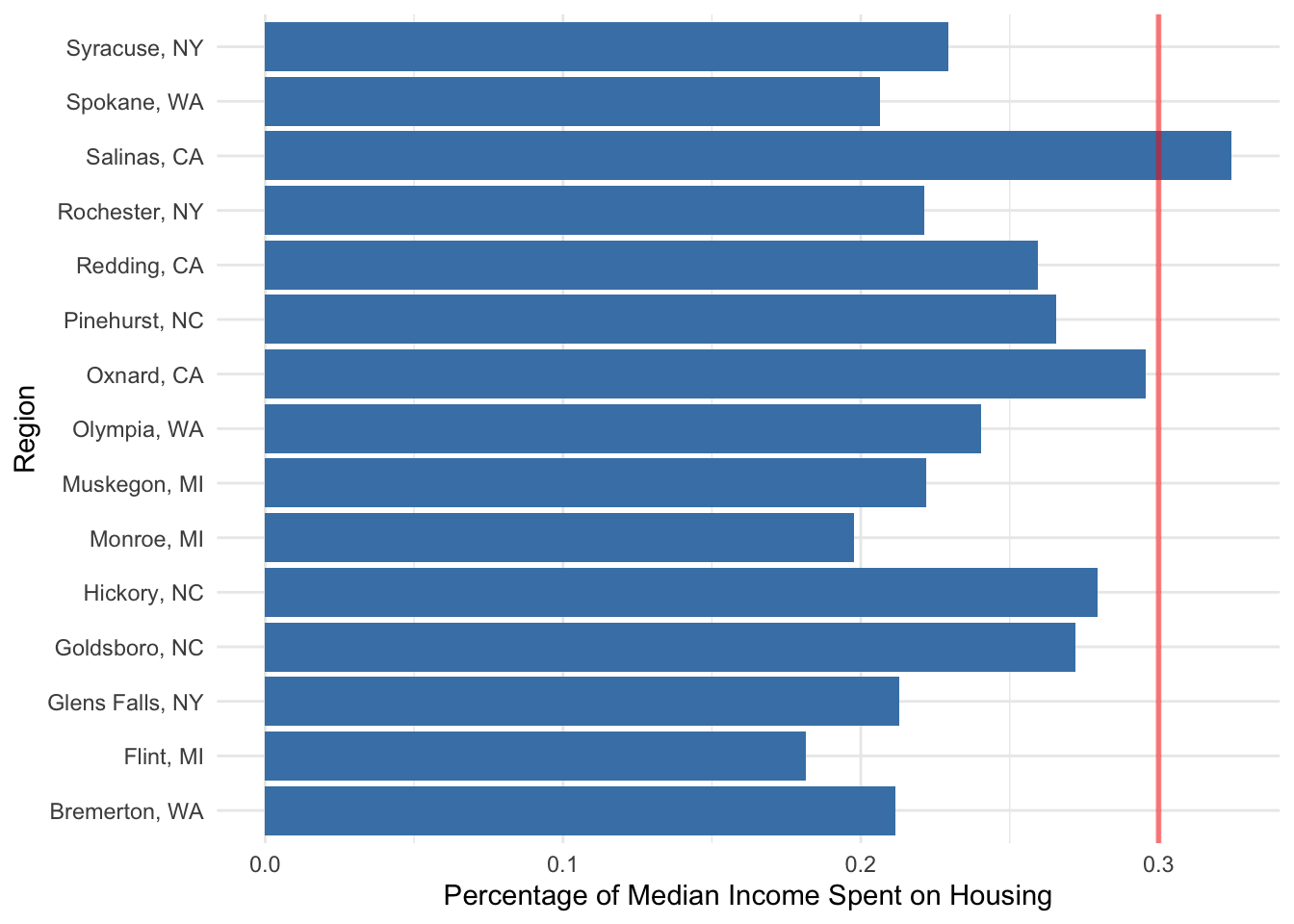
Years To Save
# call the function and with 2nd parameter name the variable
zyts <- clean_it(yts, "years_to_save")
zyts_sub <- get_states(zyts,c("NC","MI","NY","WA", "WY"),3)Exercise:
For the year 2024, find the average number of ‘years to save’ for each region in your chosen subset of US regions. Create a plot to visualize this data.
# Filter for a date range
start_date <- as_date("2024-01-01")
end_date <- as_date("2024-12-31")

# create a summary of the subset of yts data
zyts_sub_sum <- zyts_sub |>
  filter(
    date >= start_date,
    date <= end_date) |>
  group_by(region_name) |>
      summarize(
          years = mean(years_to_save, na.rm = TRUE)
        )